Retaining EXIF Metadata In GIMP
Introduction
I switched to Ubuntu 26.04 LTS a few days ago and I realized that the EXIF metadata of my photos were lost if I have edited the photos with GIMP. This problem did not exist when I was using GIMP on Ubuntu 24.04 LTS.
In this blog post, I would like to quickly document how to retain EXIF metadata when editing photos with GIMP on Ubuntu 26.04 LTS.
Retaining EXIF Metadata In GIMP
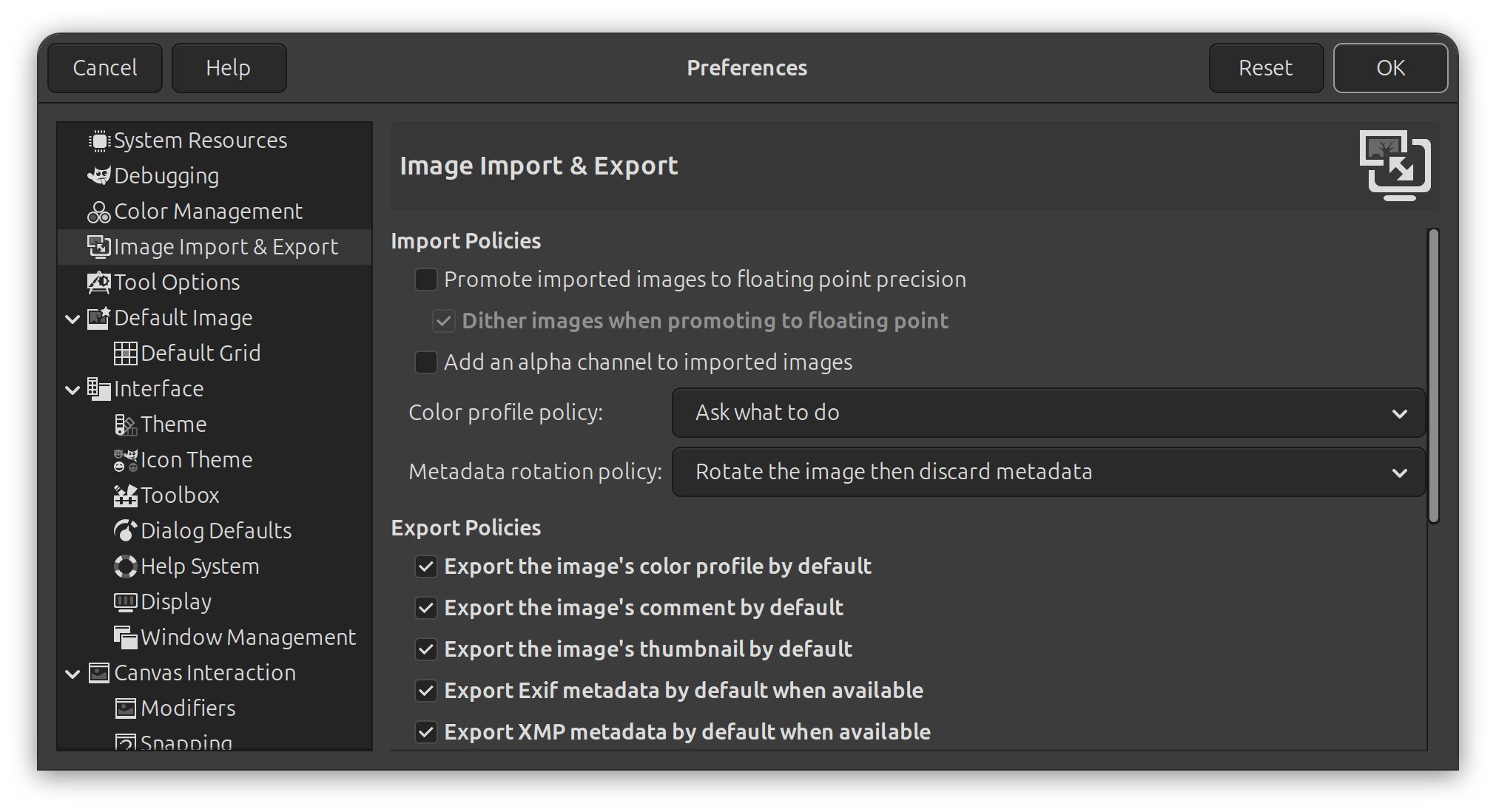
The first thing I checked was the GIMP Preferences. I found that there is an option called “Export Exif metadata by default when available” under the “Export Policies” of “Image Import & Export”. However, this option was already enabled, but the EXIF metadata was still lost after I edited and exported the photos with GIMP.
It turns out that if I do “File -> Export As” to export the edited photo, there will be options for metadata as well. However, by default, the “Save Exif” option is not enabled.
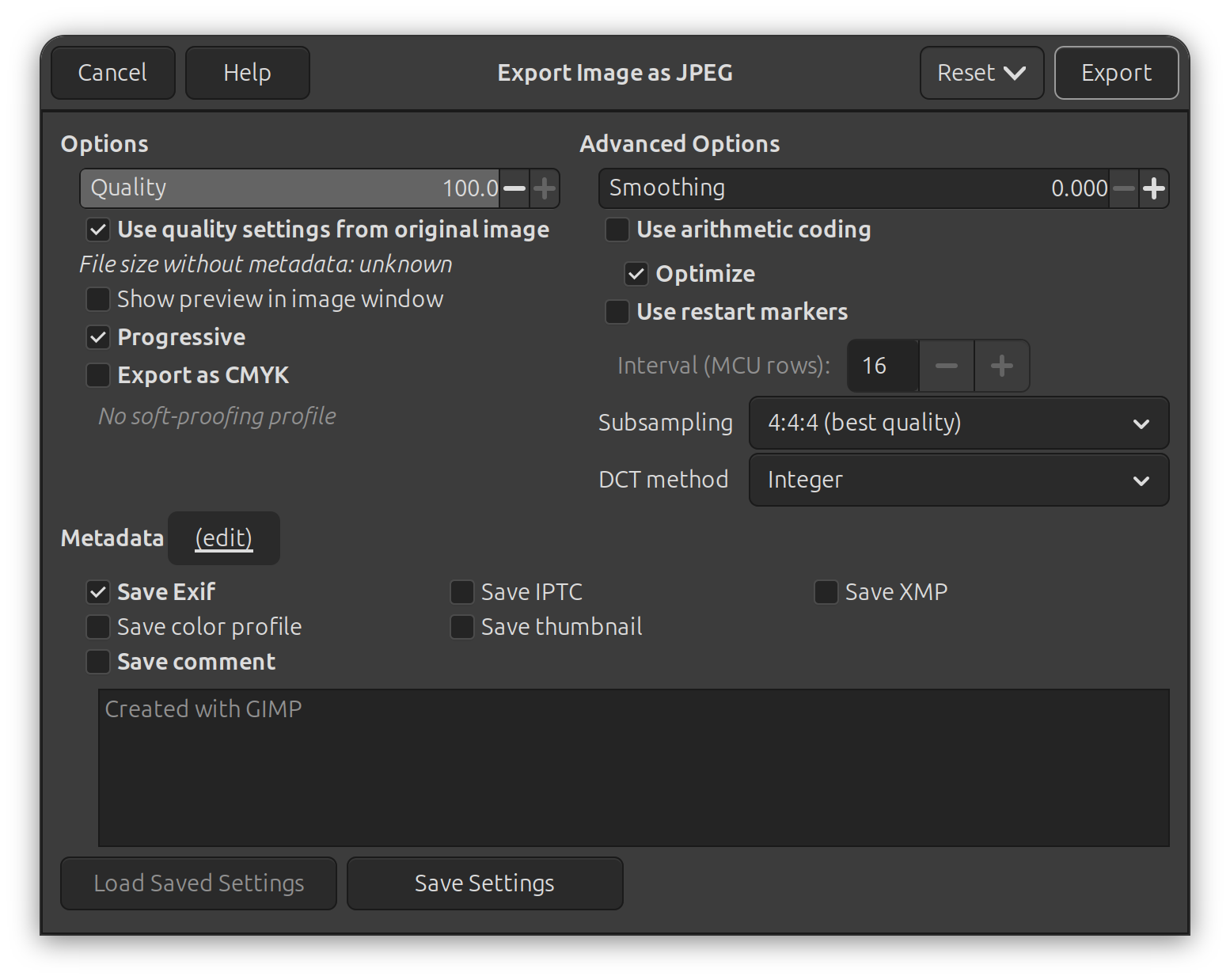
My preferrence was to export the edited photo by overwritting the existing one using “File -> Overwrite”, so I could never notice this option before. After I enabled the “Save Exif” in the “File -> Export As” options, this enablement is permanent and is also applied to “File -> Overwrite” automatically.
Retaining EXIF Metadata In GIMP